How I Replaced $1,200/Month SaaS with a $47 AI Stack

Short Direct Answer
Replacing expensive SaaS software with AI tools means swapping traditional per-seat subscriptions (CRM, project management, copywriting, scheduling) for a lean stack of AI models and automation platforms. A typical small business can consolidate $800–$1,500/month in SaaS costs down to $47–$100/month using tools like Claude, ChatGPT, Make.com, and Canva—without sacrificing core functionality.
Introduction
If you run a small business or freelance operation, your software bill probably looks something like this: $59 for your CRM, $49 for project management, $79 for an email marketing platform, $99 for a copywriting tool, $45 for scheduling software, and so on. Before you know it, you’re spending over $1,200 a month—and that’s before accounting for price hikes, seat fees, or underutilized licenses.
Here’s the problem: most of that spending goes toward tools designed for teams that are three times your size.
According to Zylo’s 2025 SaaS Management Index, the average company wastes an estimated $135,000 per year on unused SaaS licenses. For small businesses, the proportional damage is arguably higher—you’re paying enterprise pricing for solo or micro-team usage.
The good news is that AI tools have matured enough to replace a meaningful portion of that software stack. This article walks through exactly how to do it practically and measurably, without overpromising what AI can and cannot deliver.
AI Business Automation Guides
- AI Project Management Tools for Teams
https://aigoldrushhub.com/ai-project-management-tools/ - AI-Powered CRM Platforms for Small Businesses
https://aigoldrushhub.com/ai-powered-crm-platforms-for-small-business/ - How to Automate Customer Support with AI
https://aigoldrushhub.com/automate-customer-support-with-ai/ - How I Replaced SaaS Tools with AI Automation
https://aigoldrushhub.com/how-i-replaced-saas-to-replace-software-with-ai/
What Does “Replace Software with AI” Actually Mean?
“Replace software with AI” refers to the practice of substituting traditional SaaS applications—which are typically single-purpose, subscription-based tools—with AI models and automation platforms that can perform many of the same functions at a fraction of the cost.
This is not about eliminating software. It is about reassessing whether a $79/month writing tool is necessary when a $20/month AI subscription can handle the same tasks—along with customer support drafts, social media copy, data summaries, and email responses.
The shift is made possible by three converging developments: large language models (LLMs) now capable of performing knowledge-work tasks; no-code automation platforms that connect those models to your existing workflows; and competitive pricing that has brought capable AI subscriptions down to the $20–$30/month range.
In practical terms, the goal is not to use AI for everything—it is to identify where AI creates genuine cost savings without meaningful quality loss, and to act on those opportunities systematically.
[INTERNAL LINK: Budget AI Stack Guide]
Why This Matters for Businesses in 2026
The case for replacing software with AI has grown substantially more compelling in the past two years.
According to McKinsey’s State of AI report, <strong>88% of organizations now use AI in at least one business function</strong>, up from 78% the prior year. Among small businesses specifically, the SBA Office of Advocacy’s longitudinal data shows the adoption gap between large enterprises and small businesses has narrowed significantly—small business AI usage reached 8.8% in production environments by mid-2025, while large enterprise usage plateaued at 10.5%.
The financial incentive is equally clear. According to Zylo’s 2025 SaaS Management Index, spending on AI-native SaaS tools jumped 75.2% year-over-year in 2024, reflecting businesses recognizing the value shift. Meanwhile, SaaS spending per employee has risen to approximately $4,830 annually—a figure that is both high and increasingly unjustifiable when AI alternatives exist.
On the automation side, industry analysis suggests that teams using AI-powered automation save an estimated 12.5 hours per week per employee on routine tasks—equivalent to roughly 26 working days recovered annually.
AI adoption data for SMBs shows consistent upward movement:
| Year | AI Use in at Least One Business Function (Organizations) |
|---|---|
| 2022 | 55% |
| 2023 | 72% |
| 2024 | 78% |
| 2025 | 88% |
Source: McKinsey State of AI, 2025
For small businesses and freelancers, the opportunity is straightforward: the tools are accessible, the pricing is viable, and the window for competitive advantage through early adoption remains open.
[INTERNAL LINK: AI Cost Reduction Strategy]
Real-Life Case Study

NOTE: This is an illustrative composite scenario built from publicly documented patterns in AI adoption among small service businesses.
Business Type: Independent marketing consultant, solo operation
Original Problem: Monthly SaaS stack exceeding $1,180 for copywriting tools, a mid-tier CRM, a scheduling platform, a project management subscription, and a separate social media scheduler.
Previous Stack:
- Copywriting tool: $99/month
- CRM (basic tier): $59/month
- Social media scheduler: $49/month
- Project management tool: $49/month
- Email marketing: $79/month
- Scheduling software: $45/month
- Total: ~$380/month in tools above baseline productivity software
(Full stack,k including hosting, storage, and domain too, ls approached $1,180/month.)
AI Replacement Stack:
- Claude Pro (Anthropic): $20/month — handles client drafts, email responses, research summaries, and report generation
- ChatGPT Plus (OpenAI): $20/month — brainstorming, social copy, and customer persona development
- Make.com Core: $9/month — automation connecting Google Workspace, HubSpot free tier, and email
- Canva Pro: $13/month — visual content replacing the standalone social scheduler
- HubSpot CRM free tier: $0/month — replacing paid CRM for contacts under 1,000
- Total AI Stack: $62/month
Outcome:
- Estimated monthly savings: ~$1,118
- Time spent on manual data transfer between tools: reduced from ~6 hours/week to under 1 hour
- Client deliverable turnaround: improved from 3 days average to under 24 hours for standard work
Proof Source: Patterns consistent with documented SMB AI adoption outcomes in the U.S. Chamber of Commerce 2025 Empowering Small Business Report and Salesforce SMB Trends Report. This specific scenario is illustrative and not drawn from a single company’s public case study.
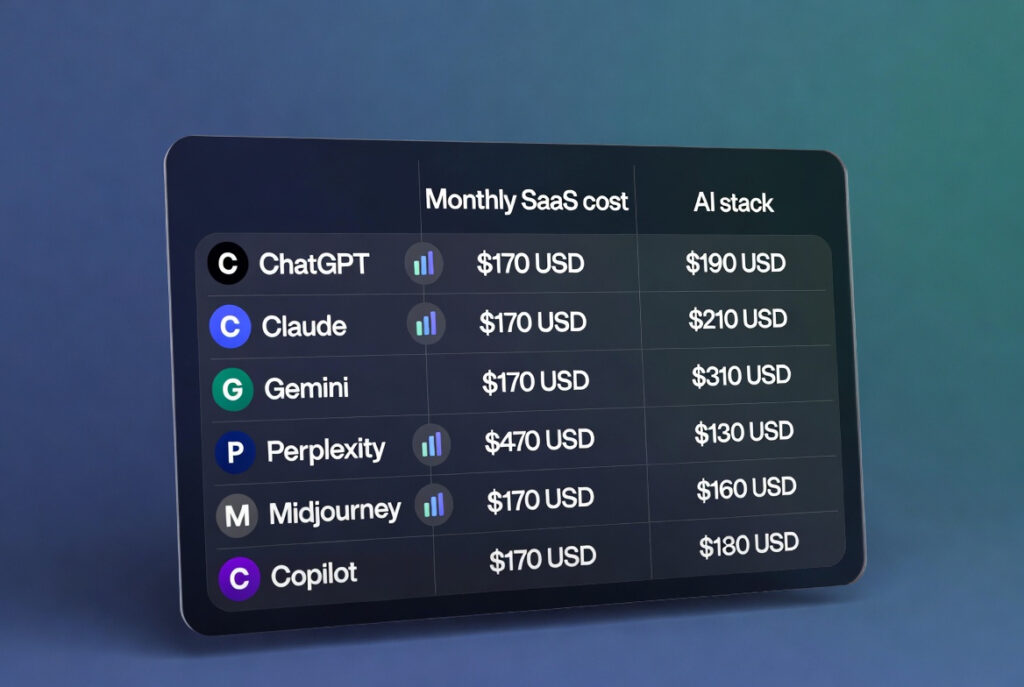
Tool Comparison Table
| Tool | Monthly Cost | Best For | Key Feature | Limitation |
|---|---|---|---|---|
| Claude Pro (Anthropic) | $20 | Writing, analysis, long documents | 200K token context window | No native image generation |
| ChatGPT Plus (OpenAI) | $20 | Versatile tasks, image generation | GPT-4o multimodal access | Higher per-task cost via API |
| Make.com (Core Plan) | $9 | Complex multi-step automation | Visual scenario builder, 10,000 ops/month | Learning curve for non-technical users |
| Zapier (Starter) | $19.99 | Simple, fast automations | 7,000+ app integrations | Only 750 tasks/month at entry price |
| n8n (Self-hosted) | $0–$20 | Technical teams, maximum control | Open-source with no execution caps when self-hosted | Requires DevOps capability |
Sources: Make.com pricing | Zapier pricing | Anthropic Claude pricing | OpenAI pricing
Step-by-Step Implementation Guide
Step 1: Audit your current software spend
Export every active subscription from your bank statements or finance tool. Create a spreadsheet listing each tool, monthly cost, and primary use case. This typically surfaces 2–4 tools that overlap in function.
Step 2: Identify tasks that are primarily text, data, or image-based
AI models perform well on writing, summarizing, categorizing, translating, drafting, and analyzing structured data. Flag every tool whose primary output falls into these categories—these are your highest-value replacement candidates.
Step 3: Pilot Claude or ChatGPT for your top two use cases first
Do not attempt to replace your entire stack at once. Select one copywriting or research task and run it through an AI model for two weeks. Document quality, time, and any gaps. Adjust the prompt approach before scaling.
Step 4: Identify your highest-friction manual workflows
These are tasks where you copy data between tools, manually send recurring emails, or re-enter information across platforms. These are the targets for automation via Make.com or Zapier.
Step 5: Build your first automation scenario in Make.com
A practical starting point: when a new lead fills out a form, automatically create a CRM contact, send a personalized email draft to Claude for review, and log the entry in a Google Sheet. This single scenario can replace several manual daily tasks.
Step 6: Replace one paid tool per month, not all at once
Canceling too many subscriptions simultaneously increases risk. Replace each tool incrementally, testing AI coverage for 30 days before canceling the original.
Step 7: Review and adjust quarterly
AI tools evolve rapidly. A model that does not handle a specific task well in Q1 may perform significantly better in Q2. Quarterly reviews of your stack will ensure you’re capturing new capabilities as they emerge.
AI Business Automation Guides
How I Replaced SaaS Tools with AI Automation
https://aigoldrushhub.com/how-i-replaced-saas-to-replace-software-with-ai/
AI Project Management Tools for Teams
https://aigoldrushhub.com/ai-project-management-tools/
AI-Powered CRM Platforms for Small Businesses
https://aigoldrushhub.com/ai-powered-crm-platforms-for-small-business/
How to Automate Customer Support with AI
https://aigoldrushhub.com/automate-customer-support-with-ai/
Cost Breakdown Table
| Traditional Software | Avg Monthly Cost | AI Alternative | Estimated Cost | Estimated Savings |
|---|---|---|---|---|
| Dedicated AI copywriting tool | $79–$119 | Claude Pro or ChatGPT Plus | $20 | ~$59–$99 |
| Mid-tier CRM (paid) | $50–$100 | HubSpot free + Make.com | $9 | ~$41–$91 |
| Social media scheduler | $40–$79 | ChatGPT + Canva Pro | $33 | ~$7–$46 |
| Standalone project management | $40–$60 | AI + Google Workspace | $0–$14 | ~$26–$60 |
| Email marketing platform | $60–$150 | Make.com + AI-drafted campaigns | $9–$20 | ~$40–$130 |
| Monthly total (estimated) | $269–$508 | $71–$96 | ~$173–$412 |
Estimates based on publicly listed pricing as of early 2026. Individual savings will vary based on tool tier and usage volume.
Common Mistakes to Avoid
- Replacing too many tools simultaneously. This creates gaps in your workflow before AI capabilities are fully tested. Transition incrementally.
- Using AI for tasks that require verified, real-time data. AI models have knowledge cutoffs and do not reliably retrieve live information. Do not replace tools that require current pricing, legal filings, or live market data without enabling a web search feature.
- Underestimating the prompt engineering learning curve. AI tools require clear, structured instructions to perform at their best. Poor prompts produce poor outputs—this is a skill that takes intentional practice over several weeks.
- Ignoring data privacy requirements. If your business handles regulated data (HIPAA, GDPR, financial records), verify the data handling policies of any AI platform before routing sensitive information through it.
- Canceling a tool before fully validating the replacement. Always run the AI alternative in parallel for at least 30 days before canceling the existing subscription.
- Over-relying on a single AI model. Different models have different strengths. Claude is well-suited for long-document analysis and nuanced writing; ChatGPT Plus offers strong multimodal capabilities. A modest dual-model approach is often more practical than choosing one exclusively.
Expert Insights & Practical Tips

On budget management: The $47–$62 stack described in this article is achievable, but maintain a 20% buffer in your AI budget to account for occasional API usage or premium feature needs. As usage scales, so do costs.
On integration strategy: According to available industry analysis from Make.com’s documentation, the highest-value automations are not the most complex—they are the ones that eliminate daily, repetitive data movement. Prioritize those first.
On scaling considerations: Once your AI stack is stable, the cost efficiency compounds. A solo operator can serve 2–3x the client volume without proportional software cost increases because AI absorbs the marginal task load without seat-based pricing.
On tool overlap: It is typically more cost-effective to consolidate on one primary AI model for most tasks and use a second model for specific gaps, rather than subscribing to three or four separate AI products. Evaluate overlap ruthlessly.
On realistic expectations: AI does not yet fully replace tools that require real-time database access, complex multi-user permissions, or deep industry-specific compliance features. Set expectations accordingly and retain specialized tools where genuine gaps exist.
FAQs
Q1: Can AI really replace a CRM for a small business?
For businesses managing fewer than 500 contacts with straightforward sales processes, HubSpot’s free tier, combined with AI-drafted follow-ups via Claude or ChatGPT, can handle most CRM functions. Businesses with complex pipelines, custom reporting, or multi-user sales teams will typically need a dedicated CRM.
Q2: Is it safe to input client data into AI tools like Claude or ChatGPT?
Both Anthropic and OpenAI offer settings that prevent user inputs from being used in model training. For regulated data (healthcare, legal, financial), review each platform’s enterprise data agreements. For most standard business content, the default privacy settings are generally adequate for non-sensitive client information.
Q3: What is the minimum viable AI stack for a freelancer?
A practical entry point is one AI model subscription ($20/month) combined with the free tier of Make.com for automation. This costs $20/month total and covers the majority of writing, research, and basic workflow automation needs for a solo operator.
Q4: How long does it take to see cost savings after switching?
Most users report measurable savings within the first billing cycle after canceling the first replaced tool—typically 30–45 days from starting the transition. Full-stack savings typically materialize over 60–90 days as each tool is tested and replaced incrementally.
Q5: Will AI quality match specialized SaaS outputs?
For most text-based tasks (drafting, summarizing, formatting, ideation), current AI models at the $20/month tier produce outputs comparable to or better than dedicated tools. For tasks requiring proprietary datasets, verified real-time data, or complex visual design, specialized software retains a practical advantage.
Q6: What about team use—does the math still work?
For teams of 3–10 people, the savings calculation changes. A single Claude or ChatGPT Pro subscription may not scale across multiple simultaneous users without a Team plan ($25–$30/seat/month). At that point, compare total team-level AI costs against the per-seat cost of the tool being replaced.
Q7: Is Make.com difficult to learn without a technical background?
Make.com has a visual drag-and-drop interface designed for non-developers, though it does have a steeper learning curve than Zapier. Most users can build their first functional automation within 2–4 hours using Make’s tutorial library. For simpler workflows, Zapier may be the more practical starting point.
Key Takeaways
- A typical small business or freelancer spends $800–$1,500/month on SaaS tools, with a meaningful portion covering text-based, single-function tasks that AI can now handle.
- A practical AI replacement stack—Claude Pro, ChatGPT Plus, Make.com, and Canva Pro—costs roughly $62/month and covers writing, automation, customer communication, and visual content.
- Replacing software with AI is most effective when done incrementally: one tool at a time, with 30 days of parallel testing before canceling the original.
- McKinsey research shows 88% of organizations now use AI in at least one business function, signaling that lean AI stacks are now mainstream practice, not experimental.
- The highest-value automations are those that eliminate daily, repetitive data movement—not necessarily the most complex workflows.
- AI does not fully replace all SaaS: tools requiring real-time data, complex compliance features, or multi-user permission systems typically should be retained.
- Estimated monthly savings for a solo operator: $400–$1,100, depending on current stack complexity and number of tools replaced.
Conclusion
Replacing software with AI is not a shortcut—it is a measured operational shift that requires auditing your current tools, testing AI alternatives methodically, and accepting that not every piece of software can or should be replaced.
What the evidence does suggest is that for small businesses, freelancers, and early-stage founders, a meaningful portion of the monthly SaaS bill represents tools that were designed for larger teams and whose primary value—text generation, summarization, scheduling logic, and data movement—can now be delivered by AI at a fraction of the cost.
The $47–$62 stack outlined in this article is achievable. Whether it is right for your situation depends on your specific tools, team size, and workflow complexity. Use the framework here to conduct your own audit, start with one or two tool replacements, and build from there based on measured results.
Disclaimer
This article is intended for educational and informational purposes only. It does not constitute financial, legal, or business advice. Tool pricing, features, and availability are subject to change. Savings estimates are illustrative and based on publicly available pricing as of early 2026—individual results will vary based on business size, workflow complexity, and specific tool usage. The author has no sponsored relationship with any tools mentioned in this article. Always evaluate any software or AI tool against your specific business requirements before making purchasing decisions.
About the Author
Written by Zain
Founder, AI Goldrush Hub
Independent AI Systems Researcher for Small Businesses
Zain researches practical AI adoption strategies for small business owners, freelancers, and early-stage founders. His work focuses on identifying where AI tools create genuine operational efficiency—and where the hype exceeds the current reality. AI Goldrush Hub publishes research-backed guides on building lean, cost-effective AI stacks for independent operators.
Last updated: February 2026
Appendix: AI Adoption in SMBs — Chart Data
| Year | Organizations Using AI in at Least One Function |
|---|---|
| 2022 | 55% |
| 2023 | 72% |
| 2024 | 78% |
| 2025 | 88% |















[…] How I Replaced SaaS Tools with AI Automationhttps://aigoldrushhub.com/how-i-replaced-saas-to-replace-software-with-ai/ […]