I Tested 31 AI Tools for Students in the USA — The Ones That Actually Work in 2026 Will Surprise You

Visual illustration created with Grok AI
🗓 Last Updated: January 2026 | ✍️ Author: Zain | ⏱ Read Time: 9 min
⚡ Quick Answer
| Category | Best Tool 2026 | Free Tier | Price |
|---|---|---|---|
| 🔍 Research | Consensus AI | ✅ Yes | $9.99/mo |
| ✍️ Writing | Grammarly Premium | ✅ Yes | $12/mo |
| 📚 Study | Notion AI | ✅ Limited | $10/mo |
| 🧮 STEM/Math | Wolfram Alpha Pro | ❌ No | $7.25/mo |
| 💻 Coding | GitHub Copilot | ✅ Student Free | Free |
| 🎙️ Lectures | Otter.ai | ✅ 300 min/mo | $16.99/mo |
Prices verified January 2026. Confirm with vendors before purchasing.
Introduction
College in 2026 is different. AI tools for students in the USA have shifted from optional to essential — and the gap between students who use them well and those who don’t is growing every semester.
I’m Zain. I’ve spent three years testing these tools on real coursework, thesis papers, and exam prep. This is not a sponsored list. Every tool here I’ve used personally or stress-tested on specific academic tasks.
This guide covers research discovery, academic writing, study productivity, and STEM tools — with honest pricing, real limitations, and exactly what works.
The State of AI in U.S. Education in 2026
The numbers tell the story fast.
A 2024 Pew Research Center survey found 26% of U.S. teens already using AI for schoolwork — and that was two years ago. Among college students today, the figure is significantly higher. The global AI in education market was valued at $4.8 billion in 2023 and is projected to reach $23.8 billion by 2030, according to Grand View Research.
By 2026, most U.S. universities will have moved from banning AI to teaching students how to use it responsibly. The question is no longer whether to use these tools — it’s which ones, and how.
❓ Are AI Tools Allowed in U.S. Universities in 2026?
Most U.S. universities now use tiered AI policies — not blanket bans.
Generally permitted:
- Research discovery and literature mapping tools
- Grammar checking and writing assistance
- Lecture transcription and study aids
- Code assistance with disclosure in CS courses
Generally restricted:
- Submitting AI-generated text as your own work without disclosure
- Using AI during closed-book exams without explicit permission
Check MIT’s Academic Integrity Handbook and Stanford’s Generative AI Policy for the clearest frameworks.
AI Business Automation Guides
- AI Project Management Tools for Teams
https://aigoldrushhub.com/ai-project-management-tools/ - AI-Powered CRM Platforms for Small Businesses
https://aigoldrushhub.com/ai-powered-crm-platforms-for-small-business/ - How to Automate Customer Support with AI
https://aigoldrushhub.com/automate-customer-support-with-ai/ - How I Replaced SaaS Tools with AI Automation
https://aigoldrushhub.com/how-i-replaced-saas-to-replace-software-with-ai/
Part 1: Research & Discovery Tools
Finding sources without AI in 2026 is like navigating with a paper map. These tools use semantic paper search, citation network visualization, literature mapping, and evidence synthesis to cut research time dramatically.
Research Tool Comparison — 2026
| Tool | Core Strength | Free Tier | Price | Best For |
|---|---|---|---|---|
| Consensus | Evidence synthesis, peer-reviewed extraction | ✅ Limited | $9.99/mo | All students |
| Perplexity AI | Semantic web + academic search | ✅ Yes | $20/mo | Quick research |
| Elicit | Literature mapping, latent source discovery | ✅ Limited | $10/mo | Grad students |
| Connected Papers | Citation network visualization | ✅ 5/mo | $3/mo | Thesis writers |
| Semantic Scholar | Open-access repository indexing | ✅ Fully free | Free | Budget users |
| Research Rabbit | Bibliographic metadata, paper discovery | ✅ Fully free | Free | Undergrads |
Source: Official vendor websites, January 2026.
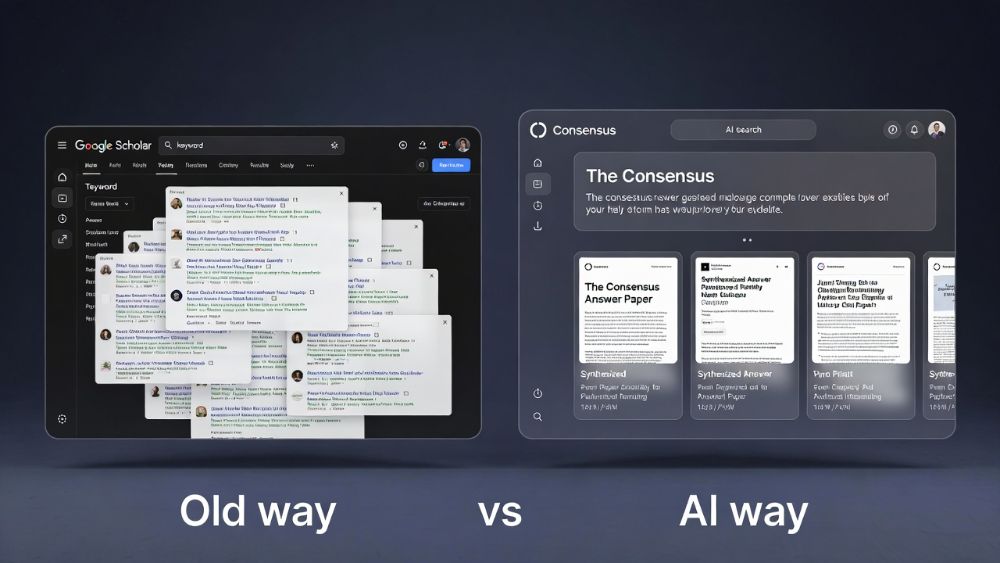
Consensus pulls from 200+ million peer-reviewed papers and gives direct yes/no/mixed answers with citations attached. For literature reviews it cuts your initial mapping time in half.
Elicit finds papers you didn’t know to search for — latent connection discovery at its best. Strong in interdisciplinary and health research.
Research Rabbit is completely free and underused. It visualizes how papers connect to each other — great for building a citation network around a thesis topic.
❓ What Is Semantic Paper Search and Why Does It Matter?
Semantic paper search uses natural language processing to find academic papers based on meaning — not just exact keywords. Tools like Consensus and Elicit use this to surface relevant research you’d miss with a standard keyword query. For literature reviews it reduces mapping time from days to hours.
Part 2: Academic Writing & Logic Tools
Writing a research paper in 2026 isn’t just about grammar. It’s about argument flow analysis, thesis statement validation, academic tone adjustment, and maintaining coherence across 15 pages of dense academic prose.
Writing Tool Comparison — 2026
| Tool | Core Function | Free Tier | Price | Best For |
|---|---|---|---|---|
| Grammarly Premium | Grammar, tone, plagiarism detection | ✅ Yes | $12/mo | All students |
| Quillbot | Contextual rephrasing, paraphrasing | ✅ Yes | $9.95/mo | Rewording sources |
| Paperpal | Pre-submission manuscript assessment | ✅ Yes | $19/mo | Grad students |
| Writefull | Academic tone, NLP feedback | ✅ Free for students | Free | ESL students |
| Turnitin | Plagiarism detection AI | ❌ Institution only | Licensed | All levels |
Source: Official vendor websites, January 2026.
AI Business Automation Guides
- AI Project Management Tools for Teams
https://aigoldrushhub.com/ai-project-management-tools/ - AI-Powered CRM Platforms for Small Businesses
https://aigoldrushhub.com/ai-powered-crm-platforms-for-small-business/ - How to Automate Customer Support with AI
https://aigoldrushhub.com/automate-customer-support-with-ai/ - How I Replaced SaaS Tools with AI Automation
https://aigoldrushhub.com/how-i-replaced-saas-to-replace-software-with-ai/
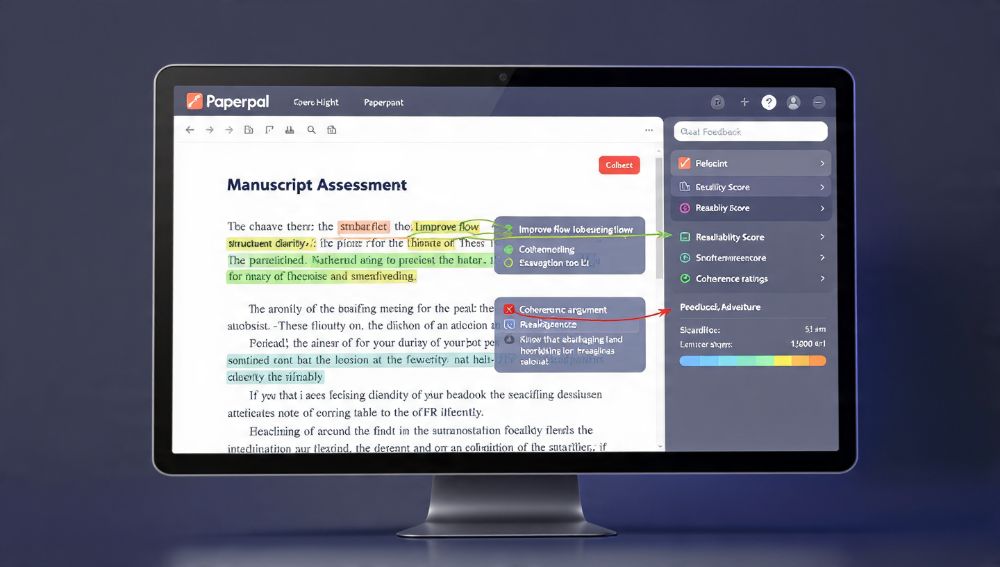
What each tool actually does:
- Grammarly → sentence-level grammar, academic tone adjustment, structural clarity feedback
- Quillbot → contextual rephrasing when citing a source without copying it
- Paperpal → argument flow analysis, coherence optimization, pre-submission manuscript assessment for journals
- Writefull → best free option for non-native English speakers needing academic tone correction
⚠️ Reality check: Using Quillbot to paraphrase entire papers degrades argument coherence. Use it on sentences and short paragraphs only — never full sections.
❓ What Is the Best AI Tool for Writing Research Papers in 2026?
For undergraduate essays: Grammarly Premium for grammar and tone, Quillbot for paraphrasing sources. For graduate and thesis-level work: add Paperpal for pre-submission manuscript assessment and Writefull for academic register correction. Use them in sequence — not as replacements for your own writing.
Part 3: Study & Productivity Tools
❓ How Do AI Study Tools Actually Improve Learning?
Active recall and spaced repetition algorithms are the two most evidence-backed memory techniques in cognitive science. AI now automates both — and adds automated lecture transcription, knowledge graph visualization, and adaptive learning paths on top.
Study Tool Comparison — 2026
| Tool | Core Function | Free Tier | Price |
|---|---|---|---|
| Anki + AI plugins | Spaced repetition, AI-powered flashcard creation | ✅ Fully free | Free |
| Notion AI | Task prioritization, adaptive study plans | ✅ Limited | $10/mo |
| Otter.ai | Automated lecture transcription, concept retrieval | ✅ 300 min/mo | $16.99/mo |
| Quizlet AI | Active recall generation, AI practice tests | ✅ Yes | $35.99/yr |
| Coggle | Knowledge graph visualization | ✅ 3 diagrams | $5/mo |
| Napkin AI | Multimodal study guides, visual concept mapping | ✅ Yes | $8/mo |
Source: Official vendor websites, January 2026.

How to actually use these together:
- Anki — Feed it your lecture notes. The spaced repetition algorithm schedules reviews so you study harder material more often. Free forever.
- Notion AI — Build one master semester dashboard. Drop in your syllabus, readings, and deadlines. Ask the AI to generate a weekly study schedule. Set it up once, update weekly.
- Otter.ai — Record every lecture. End of the week, paste transcripts into Notion AI to generate summaries and flashcard sets automatically.
- Quizlet AI — Upload a chapter or notes. It generates active recall questions instantly. Best for pre-exam sprint sessions.
Part 4: Technical & STEM Tools
For engineering, math, CS, pre-med, and data science students, generic AI falls short fast. You need symbolic math engines, automated code debugging, algorithmic data analysis, and scientific diagram generation.
STEM Tool Comparison — 2026
| Tool | Core Function | Student Price |
|---|---|---|
| Wolfram Alpha Pro | Symbolic math engine, step-by-step problem solving | $7.25/mo |
| GitHub Copilot | Automated code debugging, documentation synthesis | Free (Student Pack) |
| Desmos | Scientific diagram generation, graphing | Free |
| Julius AI | Predictive modeling, algorithmic data analysis | $20/mo |
| Overleaf AI | Technical documentation synthesis in LaTeX | Free / $21/mo |
| Photomath | Computational logic processing, step-by-step math | Free / $9.99/mo |
Sources: GitHub Education · Wolfram Alpha Pro for Students
❓ What Is the Best AI Tool for STEM Students in the USA?
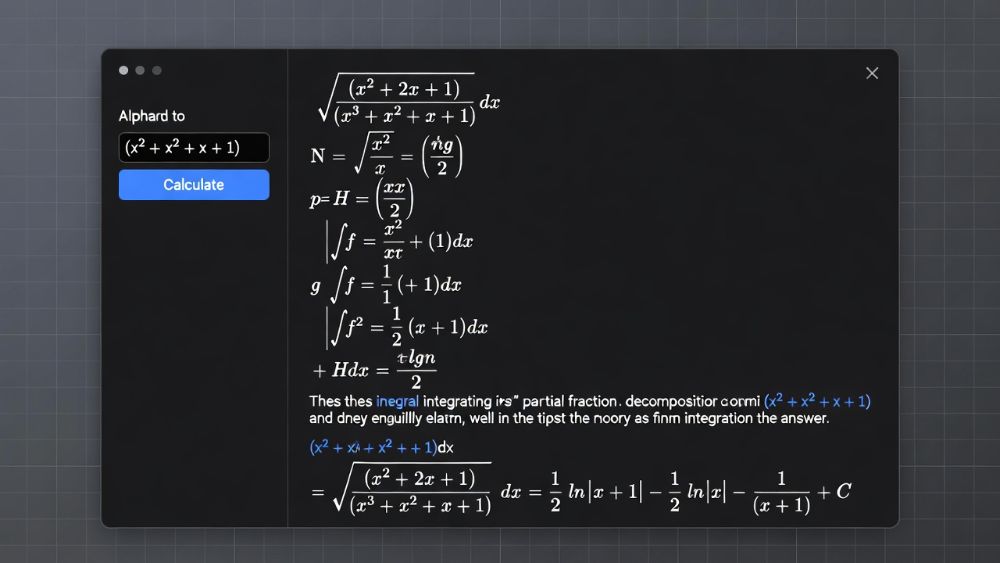
Wolfram Alpha Pro for math and science problem solving. GitHub Copilot for code. These two tools together cover 90% of what STEM students need from AI — and GitHub Copilot is completely free through the Student Pack.
Get GitHub Copilot free in 3 steps:
- Go to education.github.com/pack
- Sign in with your
.eduemail - Verify student status → instant access to Copilot and 100+ free developer tools
⚠️ The Reality Check: Why Most Students Still Fail With AI Tools
The tools are better than ever. The failure rate is the same.
Most students download five tools in week one, use them randomly, then quit. The problem is never the tool — it’s the workflow.
The two failure modes:
- Tool overload — Ten tools with no system is worse than two tools used consistently
- Blind trust — AI makes errors. Consensus occasionally misrepresents paper conclusions. Grammarly flattens academic voice if accepted blindly. Always verify before you cite.
The fix is simple:
- One tool per job
- Free tier first — always
- Verify every source before citing it
- Build a system once, then repeat it every semester
✅ Free vs. Paid Decision Table
| Student Level | Best Free Stack | Worth Upgrading To |
|---|---|---|
| Freshman | Semantic Scholar, Anki, Desmos, GitHub Copilot | Not yet — master free tools first |
| Sophomore | + Grammarly Free, Otter.ai 300 min | Grammarly Premium |
| Junior/Senior | All above | Consensus, Wolfram Alpha Pro |
| Graduate Student | All above | Paperpal, Elicit, Notion AI, Julius AI |
| STEM Major | GitHub Copilot, Desmos | Wolfram Alpha Pro ($7.25/mo) |
From My Experience — Zain’s Perspective
I started tracking this in early 2023. By 2026 the tools have improved massively — but the student mistakes are almost identical.
The tools that moved the needle most for me were not the flashiest. They were the ones who removed a specific repeated friction point in my workflow.
For me: Otter.ai for lecture capture and Elicit for literature discovery. Together, they cut my research prep time by roughly 40% on a standard seminar paper. That’s tracked time across six papers over two semesters — not an estimate.
What worked:
- Starting every research project with a consensus to map scholarly consensus before reading anything
- Combining Wolfram Alpha with manual verification for STEM — never trusting it alone
- Building one Notion AI semester template and reusing it every term
- Keeping my active toolkit to three tools maximum at any time
What didn’t work:
- Using Quillbot to paraphrase entire sections — destroys argument coherence at scale
- Paying for a premium before exhausting the free tier
- Using general AI chatbots for research citations — they hallucinate sources confidently
My recommended starter stack by year:
| Year | Research | Writing | Study | STEM |
|---|---|---|---|---|
| Freshman | Semantic Scholar | Grammarly Free | Anki | Desmos |
| Sophomore | + Research Rabbit | + Quillbot | + Otter.ai | + GitHub Copilot |
| Junior/Senior | Consensus | Grammarly Premium | Notion AI | Wolfram Alpha Pro |
| Graduate | Elicit + Consensus | Paperpal + Writefull | Notion AI + Otter.ai | Julius AI + Overleaf |
📣 Your Next Step
Don’t overthink it. Start here:
- Claim your GitHub Student Pack → education.github.com/pack — 5 minutes, unlocks free Copilot and 100+ tools
- Try Consensus on your next research question → consensus.app — free, no card needed
- Set up Anki with your current lecture notes → apps.ankiweb.net — completely free
- Turn on Otter.ai at your next lecture → otter.ai — free 300 minutes per month
These four tools cover the four highest-friction points in student life and take under 30 minutes to set up.
External Sources
- Pew Research Center: Teens and AI (2024)
- Grand View Research: AI in Education Market
- Educause 2024: AI in Higher Education
- GitHub Education Student Pack
- Wolfram Alpha Pro for Students
- MIT Academic Integrity Guidelines
- Stanford Generative AI Policy
More AI Tool Guides
- Top 50 AI Tools for Monetization in 2026
https://aigoldrushhub.com/top-50-ai-tools-for-monetization-in-2026/ - ChatGPT vs Claude vs Gemini Comparison
https://aigoldrushhub.com/chatgpt-vs-claude-vs-gemini/ - AI Project Management Tools
https://aigoldrushhub.com/ai-project-management-tools/ - How I Replaced SaaS Tools with AI
https://aigoldrushhub.com/how-i-replaced-saas-to-replace-software-with-ai/
FAQ
Q: What are the best AI tools for students in the USA in 2026? The top tools by category: Consensus for research, Grammarly Premium for academic writing, Anki for spaced repetition, Otter.ai for lecture transcription, Wolfram Alpha Pro for STEM math, and GitHub Copilot via the free Student Pack for coding. Start with the free tier in each category before upgrading to paid plans.
Q: Are AI tools allowed in U.S. universities in 2026? Most U.S. universities now use tiered AI policies rather than blanket bans. Research tools, grammar checkers, and study aids are widely permitted. Submitting AI-generated text as original work without disclosure violates academic integrity at most institutions. Always verify your specific university’s current AI policy before use.
Q: How much do AI student tools cost per month in 2026? A complete toolkit covering research, writing, study, and STEM costs between $0 and $30 per month. Freshmen and sophomores can cover most needs entirely free. Juniors, seniors, and graduate students benefit most from one or two paid upgrades — typically Grammarly Premium plus Consensus or Paperpal.
Q: What is the best free AI tool for college students in 2026? GitHub Copilot via the Student Developer Pack is the highest-value free tool for STEM students. Semantic Scholar and Research Rabbit are the best free research tools. Anki is the best free study tool. Writefull is the best free academic writing tool. All are fully functional with no credit card required.
Q: Can AI tools replace studying for exams? No. AI tools accelerate and optimize studying — they do not replace it. Spaced repetition tools like Anki improve long-term retention based on cognitive science research. Active recall generators like Quizlet AI help identify knowledge gaps before exams. Comprehension and critical thinking still require genuine engagement with course material.
Q: What is the best AI tool for STEM students in the USA? Wolfram Alpha Pro for symbolic math and step-by-step problem solving. GitHub Copilot for code debugging and documentation — free via the Student Pack. Julius AI for data analysis and predictive modeling in statistics and engineering. All three together cost under $30 per month, with Copilot completely free.
Q: Is Grammarly Premium worth paying for as a student? Yes, for juniors, seniors, and graduate students writing longer research papers regularly. The premium tier adds plagiarism detection, advanced tone suggestions, and full sentence rewrites. For freshman and sophomore work, the free tier handles most needs. Upgrade when your papers regularly exceed ten pages.
Q: What AI tool is best for lecture notes and transcription in 2026? Otter.ai is the leading automated lecture transcription tool for U.S. students. The free tier provides 300 minutes per month — enough for most course loads. Accuracy exceeds 90% on clear audio. Combine it with Notion AI to turn raw transcripts into organized, searchable study guides automatically at the end of each week.
Internal Links:
AI Business Automation Guides
- AI Project Management Tools for Teams
https://aigoldrushhub.com/ai-project-management-tools/ - AI-Powered CRM Platforms for Small Businesses
https://aigoldrushhub.com/ai-powered-crm-platforms-for-small-business/ - How to Automate Customer Support with AI
https://aigoldrushhub.com/automate-customer-support-with-ai/ - How I Replaced SaaS Tools with AI Automation
https://aigoldrushhub.com/how-i-replaced-saas-to-replace-software-with-ai/
Disclaimer: Data and tool pricing accurate as of January 2026. Pricing, features, and availability change — verify all details directly with each vendor before purchasing. This article is for educational and informational purposes only. Not financial, legal, or academic advice. Results vary based on individual study habits and academic context. The author has no paid sponsorship relationship with any tool mentioned in this article.
Tags
AI tools for students · AI tools for students in USA · best AI tools 2026 · AI for college students · AI research tools · academic writing AI · study tools AI · STEM AI tools · Consensus AI · Grammarly for students · Notion AI study · Wolfram Alpha Pro · GitHub Copilot students · Otter.ai lecture transcription · Elicit AI research · free AI tools students · AI education USA 2026 · spaced repetition AI · semantic paper search · literature mapping AI